

For UK players looking to enjoy the chaotic excitement of Chicken Shoot, the platform you pick shapes everything. We’ve taken a close look at the different editions you can find. This guide explains the game mechanics, how user-friendly each platform is, and the total value, so you can select the ideal version for how you prefer to play and what device you use.
Our Take: Selecting Your Ideal Platform
Choosing the best Chicken Shoot version depends on what is most important to you. For sheer convenience and jumping straight in, the mobile browser version is difficult to surpass. If you want the best graphics and exact control for chasing high scores, the desktop browser or casino client is the way to go.
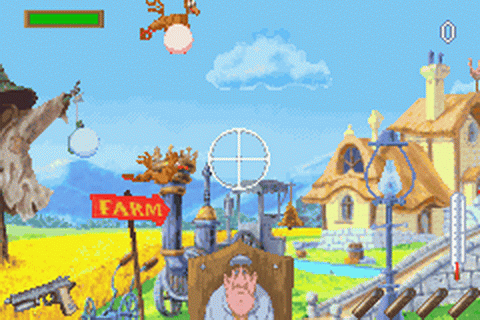
- For Casual/Flexible Play:
- For Performance & Precision:
- For Dedicated Casino Players:
- For Social Competition:
Every platform offers the core, chaotic fun of Chicken Shoot. Your eventual choice should be based on your daily routine, the device you use, and what you hope to get out of the game.
The Chicken Shoot game provides several platform options for UK players. You can play right away in a browser or through a full casino client. Each variant has clear strengths in how simple it is to access, how well it performs, and how you control the action. We recommend mobile for gaming on the move, and desktop for a more immersive, more precise session. Your ideal choice is the one that fits the game’s frantic fun seamlessly into your own gaming habits.
Grasping the Core Chicken Shoot Gameplay
Let’s cover the basics before we dive into platform differences. Chicken Shoot is a light-hearted shooting gallery game. It plays quickly, and your targets are mostly silly chickens across vivid, colorful stages. The main loop measures your aim and reflexes, with a healthy dose of humor. Power-ups and bonus rounds bring strategic depth. It’s a game of skill and reflex, a rewarding arcade-style escape from more complex games.
You need sharp reflexes and a keen eye to do well. Every version of the game maintains this core feel but tweaks how it looks and controls to suit where it’s played. You might play for a quick chuckle or to surpass your high score, but the straightforward, intuitive gameplay is what attracts everyone. Because this core of the game stays the same, we can focus our comparison on how each platform delivers it.
Mobile-Friendly Play: Playing on the Go
Gaming on mobile, using a phone’s browser or a dedicated app, is essential for players today. The title has been meticulously optimized for touchscreens. You just tap to shoot, which feels intuitive and straightforward. The images are adjusted for smaller displays but retain all the game’s graphical appeal.
This platform shines in convenience. You can squeeze in a short game wherever you are. The touchscreen controls can actually feel more captivating than a mouse setup. The downside is your display size; when the action gets frantic and targets zip around, a compact screen can feel crowded. Gameplay is generally seamless on both iOS and Android devices, and a absence of lag is essential for reaching those high marks.
Our take is that the mobile browser gives you the maximum liberty, while a special app (if the casino offers one) could allow you unlock some functions without a connection https://chickenshootgame.eu/. This makes mobile the top pick for commuters or people who appreciate short, fun gaming breaks during their everyday schedule.
Graphics and Speed Across Platforms
How good the game presents and how smoothly it operates matters for a shooting game. The desktop browser and downloadable client usually lead the pack here. They use your computer’s more capable hardware to display more detailed textures and smooth animations. Mobile versions are smartly tuned to appear fantastic without depleting your battery too quickly.
We noticed the core cartoon style remains consistent everywhere, which reflects intelligent design. A stable frame rate is crucial when things get crazy, and downloadable clients typically handle this best. In the end, while a top-tier PC delivers the best technical show, the mobile version is so efficiently designed that most players won’t think they’re losing out. The key difference boils down to your screen. A wide monitor allows you to appreciate all the humorous details, while a phone screen makes sure the targets are visible and convenient to tap.
Social and Tournament Features by Platform
The social side of Chicken Shoot changes from one platform to another. Browser and client versions tend to have more powerful competitive features. Think ongoing leaderboards that track the all-time best scores, or site-wide tournaments. These features leverage the bigger screen space to show complex standings and ladders.
- Desktop & Client:
- Mobile:
If you love competing against a wide community, desktop platforms are generally best equipped. Mobile play is more about challenging your personal best and sharing a great score directly from your phone.
Playing via Desktop Browser: The Traditional Route
Playing through a desktop browser is the classic method. You head over to a casino or gaming site, click play, and you’re done—no download necessary. This version leverages a big monitor, offering you a expansive, comprehensive view of all the on-screen action. Mouse controls can provide you with a small advantage in aiming precision, a feature players who love control will value.
- Pros:
- Cons:
If you’re based in the UK with good broadband and you prefer playing on a large screen, the browser version is a fantastic choice with no strings attached. It’s well-suited for light gaming where you want to start a game without any trouble. The experience is usually the same whichever operator you use, so it feels familiar whether you’re using a laptop or a desktop PC.
Availability and Presence for UK Players
You cannot locate every variant to the same extent in the UK due to licensing rules. Whether Chicken Shoot is present depends on which platforms casinos licensed by the UK Gambling Commission opt to use. Browser and mobile web versions are the most prevalent and widely available. Dedicated apps are less common, but you encounter them more now than a few years ago.
UK players must always check they are playing through a licensed and regulated casino site, no matter the platform. Some downloadable clients from international operators might restrict UK players. Always double-check the site has UKGC credentials before you begin. This isn’t just about legality; it influences the protections you have as a player. Also, support for popular UK payment methods like PayPal or debit cards is typically best on platforms built for the UK market.
Downloadable Casino Client Version
Some online casinos that target the UK market feature Chicken Shoot as part of their own downloadable software. This version often boasts better stability and sometimes sharper graphics, since game files reside on your computer. It can also integrate more directly with the casino’s rewards programs and payment methods.
- Better Performance:
- Built-In Features:
- Chance for Exclusive Content:
- Drawbacks:
This option appeals to the dedicated casino player who desires one central hub for their games. The experience can seem more polished, but it means sticking with a single operator’s platform and their specific rules.